
MeasurePM has added new fields in Manage Site Properties that allow organizations to assign different EINs and NPIs for each treatment type (MH, OT, and ST). This ensures claims pull the correct identifiers based on the authorization’s treatment type.
What This Feature Does
If your organization uses different billing identifiers per discipline (for example, Speech Therapy bills under a different EIN than Occupational Therapy), this feature automates that process.
MeasurePM now checks the following in order when determining which EIN/NPI to place on a claim:
1. Site Funding Source (highest priority)
If an EIN/NPI exists here, the system uses that first.
2. Treatment-Type Specific EIN/NPI
If filled in Manage Site Properties, the system will use:
MH EIN/NPI for MH authorizations
OT EIN/NPI for OT authorizations
ST EIN/NPI for ST authorizations
3. Main EIN/NPI (fallback)
If no treatment-specific value exists, the system uses the main EIN/NPI from the top of your Site Details page.
Where to Enter Treatment-Specific EINs/NPIs
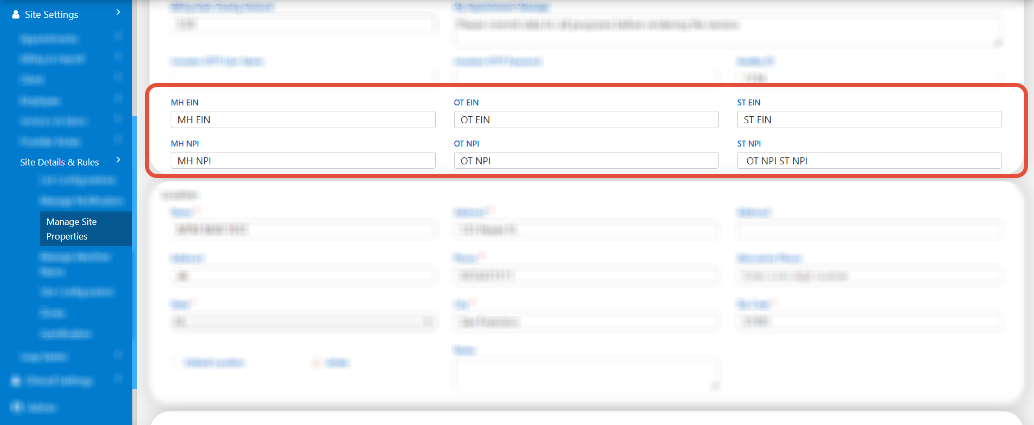
You can enter these values here: Site Settings > Site Details & Rules > Manage Site Properties
Within the EIN/NPI section, you will see:
MH EIN
MH NPI
OT EIN
OT NPI
ST EIN
ST NPI
Claim Example (How It Appears When Applied)
When a session is billed and a claim is generated, the system automatically determines which EIN/NPI belongs to that treatment type.
Example claim showing the system applying the OT treatment-type EIN:

Need Assistance?
If you have any questions or need assistance, please contact our Support Team at support@measurepm.com