
Overview
This article was developed to provide MeasurePM users with an overview of how to view and edit clinical related Files and Videos.
Configurations
To have access to view, add, and delete Clinical Files, the following admin permissions will need to be granted.

To have access to view, add, and delete Clinical Videos, the following admin permissions will need to be granted.
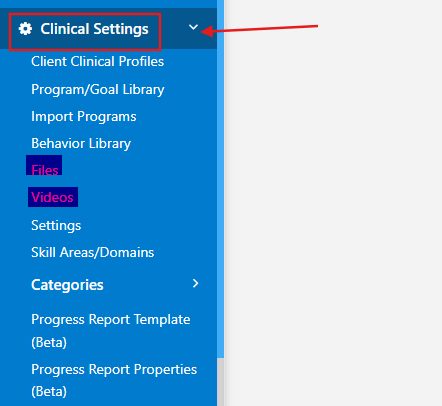
Once permission has been granted, the pages can be found within the Clinical Settings dropdown.
Purpose
Clinical PDF Files (E.g., program materials, full pdf write ups of protocols, etc.) and MP4 Videos (E.g., video model for the client, video demonstration of how to present the trial, etc.) can be uploaded to these sections. Once uploaded, they will be able to be associated with Programs in the Program Library and Client Profile. Once associated, the media can be viewed on the Mobile-App within or outside of an appointment.
Files
Files can be added from Clinical Settings and from a client clinical profile. Files uploaded within Clinical Settings can be selected within the Program/Goal Library while creating or editing a program.
Clinical Settings - Files
Within this section, Files used for Programs can be added or deleted. Only PDF Files can be uploaded and saved.
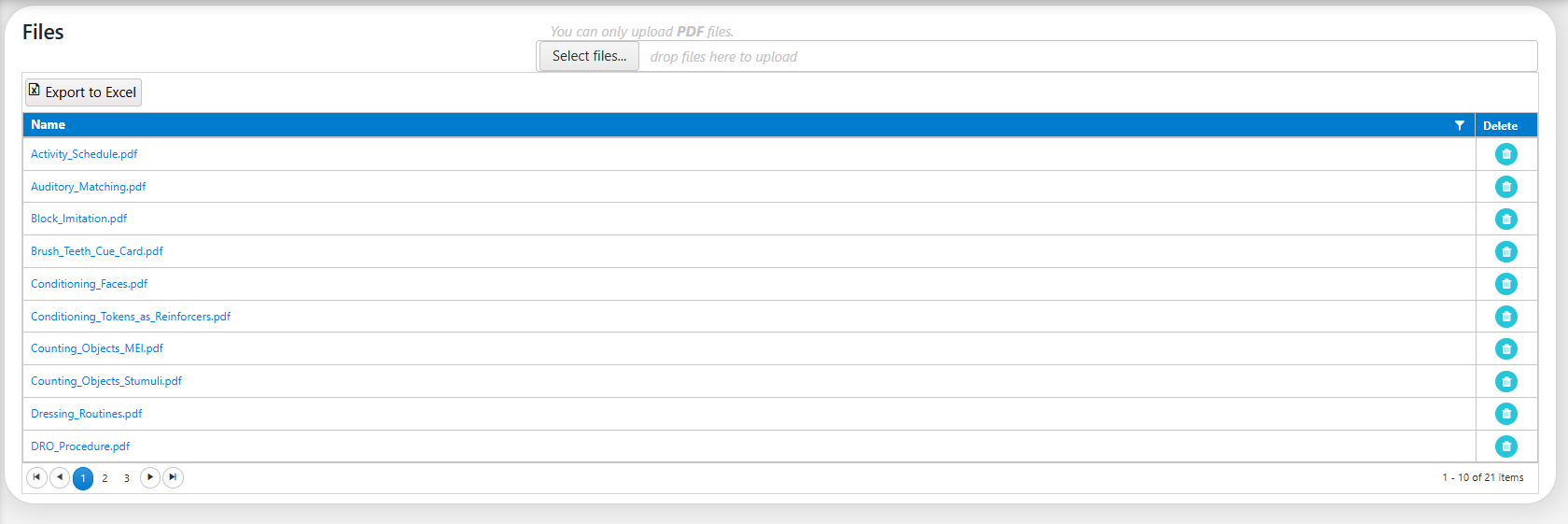
To add a File, the Select files... button can be selected at the top of the page. From there, the File can be selected directly from your device to upload. To view a File, the File name can be selected. From there, the uploaded File will automatically download and become available to view from your device.

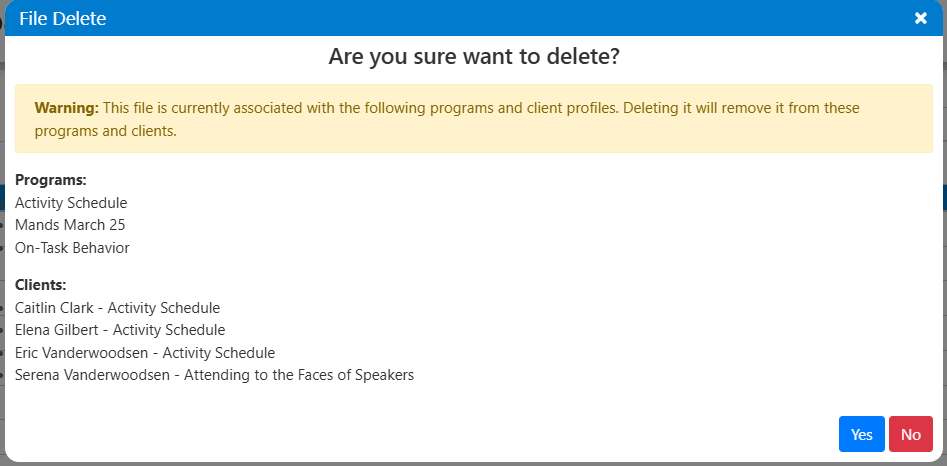
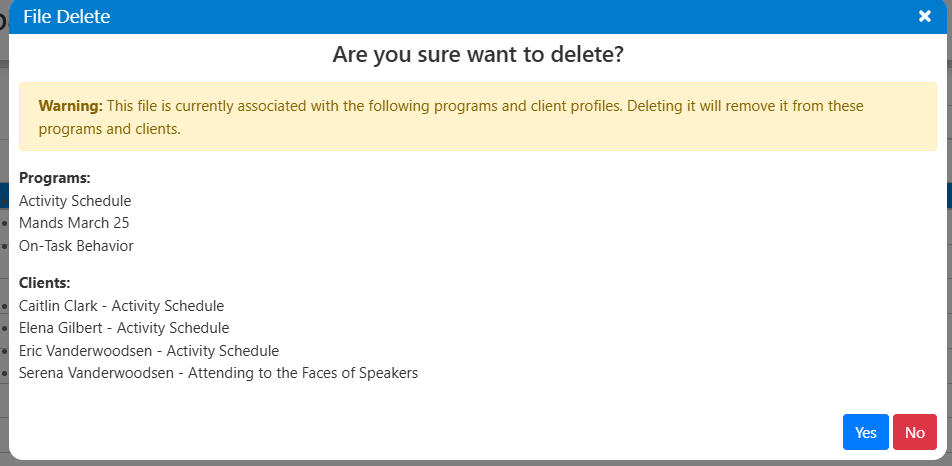
To delete a File, the trash can icon can be selected. Before the File is deleted, you will first receive a confirmation. An additional Warning will be given if the File is currently associated with programs or clinical profiles. Deleting the File will remove it from all associated programs and clinical profiles.
Program/Goal Library - Files
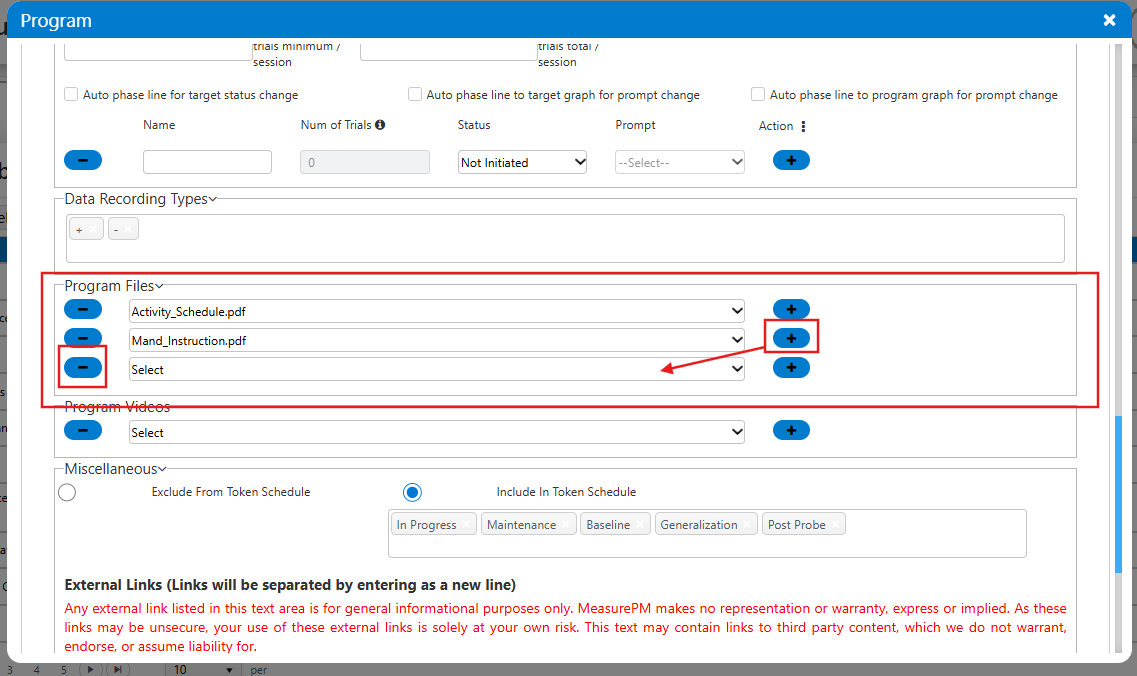
Within the Program/Goal Library, File selection is optional before the Program can be saved. Once the Program Files dropdown is selected, only the list of Files added to the Clinical Settings - Files page will be available for selection. Files can also be removed by selecting the - icon.
Client Clinical Profile - Program Media (Files)
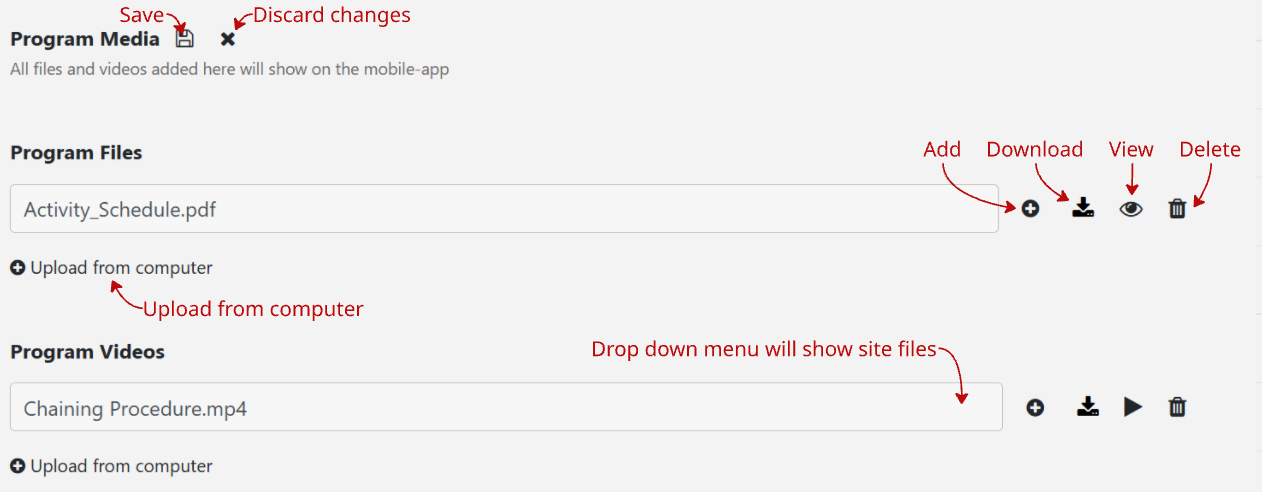
Once a program has been mapped to a client clinical profile, Program Media allows you to configure PDF Files on a per program basis. The Files uploaded here are accessible to view from the Mobile-App. To make changes to the configured Files, select the pencil icon. Once selected, you can add/remove Files and view and download saved Files. Files added directly from Clinical Settings can be selected, or additional Files can be added directly from your computer.
Videos
Videos can be added from Clinical Settings and from a client clinical profile. Videos uploaded within Clinical Settings can be selected within the Program/Goal Library while creating or editing a program.
Clinical Settings - Videos
Within this section, Videos used for Programs can be added or deleted. Only .mp4 Video Files can be uploaded and saved.
To add a Video, the Select files... button can be selected at the top of the page. From there, the Video can be selected directly from your device to upload. To play a Video, the play video icon or Video name can be selected. From there, the uploaded Video will automatically download and become available to play from your device.

To delete a Video, the trash can icon can be selected. Before the Video is deleted, you will first receive a confirmation. An additional Warning will be given if the Video is currently associated with programs or clinical profiles. Deleting the Video will remove it from all associated programs and clinical profiles.
Program/Goal Library - Videos
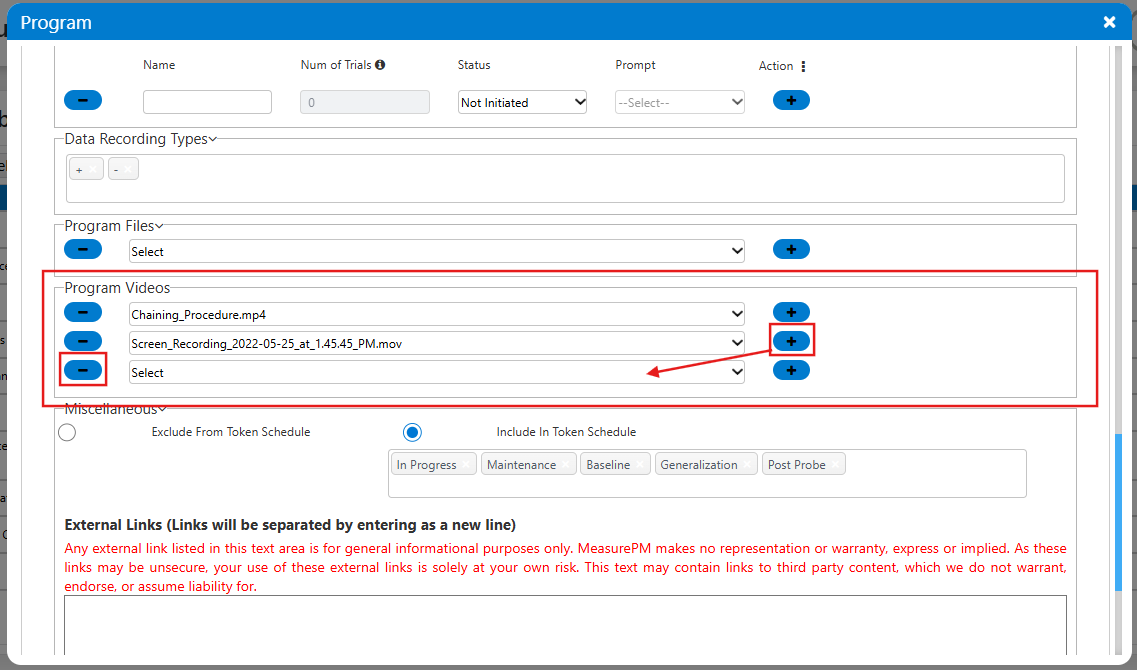
Within the Program/Goal Library, Video selection is optional before the Program can be saved. Once the Program Videos dropdown is selected, only the list of Videos added from the Clinical Settings - Videos page will be available for selection. Videos can also be removed by selecting the - icon.
Client Clinical Profile - Program Media (Videos)
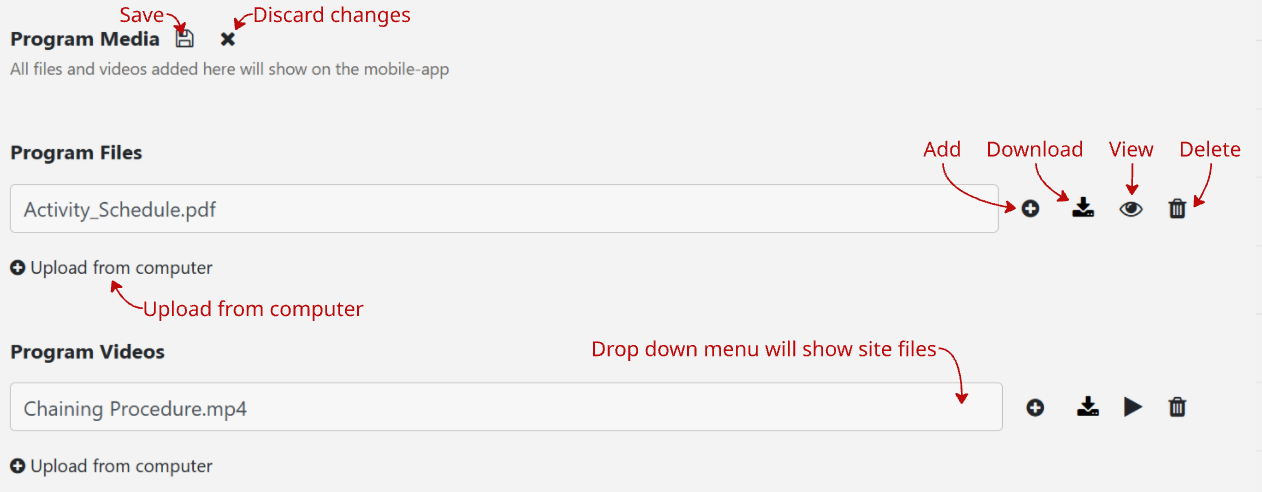
Once a program has been mapped to a client clinical profile, Program Media allows you to configure .mp4 Videos on a per program basis. The Videos uploaded here are accessible to view from the Mobile App. To make changes to the configured Videos, select the pencil icon. Once selected, you can add/remove Videos and view and download saved Videos. Videos added directly from Clinical Settings can be selected, or additional Videos can be added directly from your computer.
For any additional questions or concerns, please reach out to support@measurepm.com